
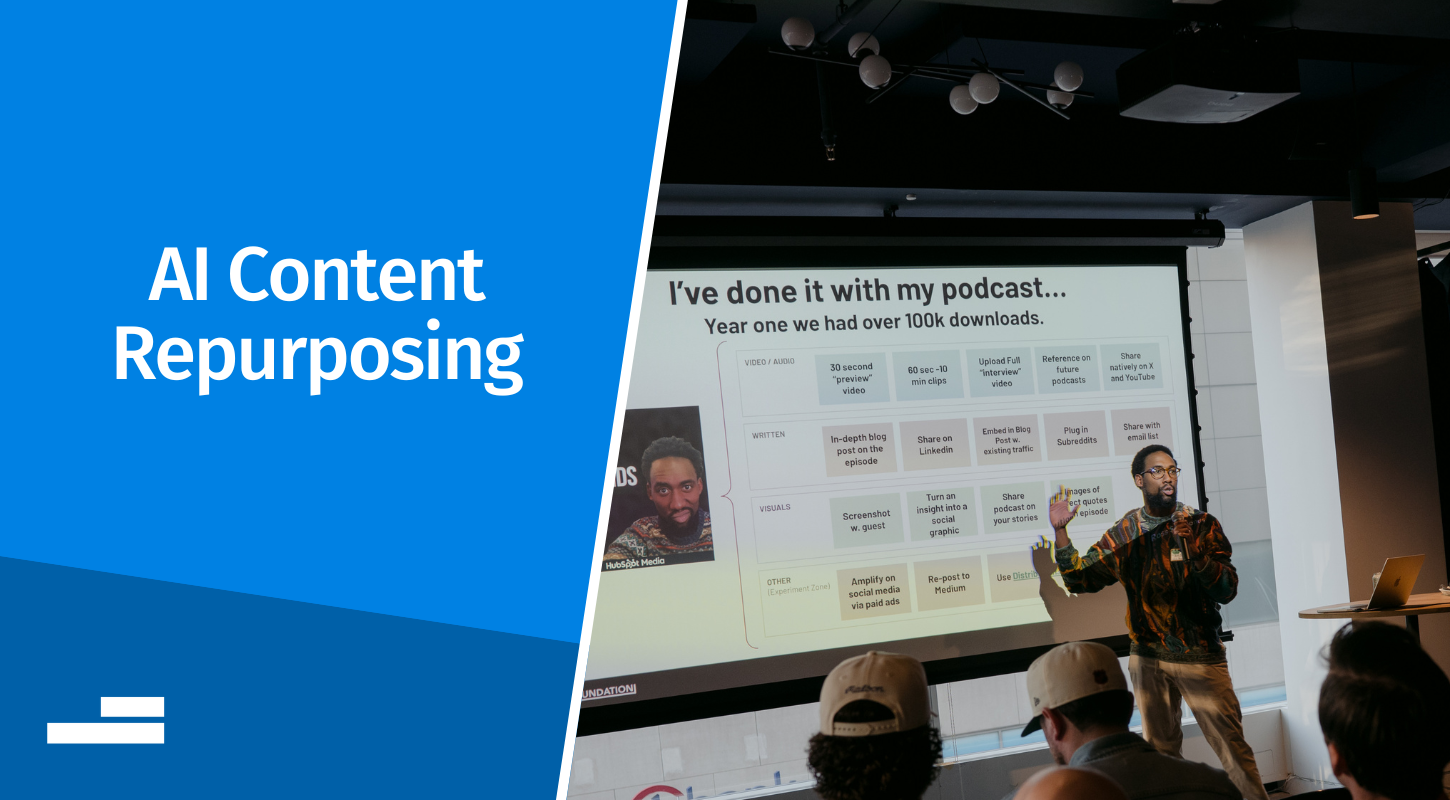
How I Turn 1 Asset Into a Month of Content
In 2014, I sent a tweet that said “D.R.E.A.M // Distribution Rules Everything Around Me.”
That idea became the philosophy behind my book, Create Once, Distribute Forever, and the way we run every content program at Foundation. Over a decade later, it still holds up. AI just made it faster to execute.
You take one asset, pull out the ideas that can stand on their own, and use AI to turn them into posts for the channels your audience already uses. That’s AI content repurposing. I run every episode of The Ross Simmonds Show through this process. Same with Foundation articles and my keynotes.
I’m the founder of Distribution.ai, so you’ll see it throughout this guide. This is the workflow I actually use, the prompts, how I edit the drafts, and what I’ve learned doing this across hundreds of assets.
Skip to What You Need
Key Takeaways
- AI content repurposing turns one long-form asset into channel-ready content for LinkedIn, X, email, video, and more without rebuilding each piece from scratch.
- The source asset matters more than the tool. A deep podcast, keynote, or research-heavy article gives you far more repurposing room than a thin blog post.
- AI gets you to a working draft faster. The editing pass is where your voice and judgment come in.
- The strongest repurposed ideas deserve another round in a different format. Treat repurposing as a loop, not a one-time batch.
Why AI Content Repurposing Works So Well
Before AI, repurposing one episode of The Ross Simmonds Show into video clips, blog posts, LinkedIn carousels, and email content took our team the better part of a full day.

Rewatching the recording, scanning the transcript, pulling sections out, rewriting each one by hand for a different channel. Six to eight hours of work on top of the production itself.
We’d skip it more often than we’d admit because the effort didn’t scale.
Now I can feed that same episode into Distribution.ai and have working drafts for multiple channels inside an hour.
Here’s an example.
I took RSS 76 with Scott Baradell on the T.R.U.S.T. Framework and ran it through Distribution.ai.
Within minutes, I had notes, a summary, and posts for all platforms, each pulling a different angle from the conversation.

LLM recommendations, website speed and trust, PR as trust at scale, and AI Overview citation patterns. All from one 34-minute episode.
The ideas still need my judgment and my editing pass, but the extraction work that used to eat the whole day takes a fraction of the time.
That’s the math behind AI content repurposing. Every long-form asset has more usable material sitting inside it than the original format ever puts to work.
I wrote a full breakdown of how this plays out in practice in our content repurposing guide, where I walked through a real episode and showed every derivative it produced.
This post focuses on the AI-specific side of that workflow. The prompts, the editing process, and the automation.
How I Turn One Asset Into a Month of Content With AI
A month of content sounds like a lot until you start treating one long-form asset as a collection of ideas instead of a single piece of content.
Step 1. Choose a Source Asset With Enough Depth
I start with content that has enough substance to break into separate ideas.
My new LLM SEO guide is a good example. It covers what LLM SEO is, how it differs from traditional search, how to measure AI visibility, and where Foundation’s research fits in.
Each of those sections can stand on its own as a LinkedIn post, a newsletter angle, or a carousel. One blog post with half a dozen repurposing angles sitting inside it before I’ve even touched the data points.
A webinar can work the same way. A customer question buried 20 minutes in, a sharp point from the speaker, a framework worth pulling out, a moment that works as a short clip. A detailed blog post gives you similar room on the written side.
I also look at how the original performed. Traffic, engagement, and audience response can all signal that the topic deserves another round. Starting with content that already earned attention gives you a stronger foundation than picking something at random.
One test I use before committing. Go through the asset and count how many ideas can stand on their own. If you run out after two, choose something deeper.

For blog content, pieces with several useful sections or examples are easier to feed into Distribution.ai’s blog repurposing tool once you’re ready to start pulling derivatives.
Step 2. Pull Out the Ideas Worth Repurposing
I go through the source and mark the ideas I’d actually share on their own.
In a keynote, that might be a strong opinion, a story from the stage, a useful framework, or one section that answers a question people keep asking. A podcast gives you the same opportunity.

You’re looking for moments that still make sense after they leave the original format.
I’ve written before about content repurposing as a way to keep useful ideas in circulation. This is where that process starts for me. I want a bank of distinct angles before I start turning anything into posts.
I also keep the original context attached to each idea. A quote can lose its meaning quickly once it’s pulled out of a 40-minute conversation.
Keeping the surrounding point makes the eventual draft much easier to edit and much less likely to flatten what the speaker actually meant.
Step 3. Give the AI Your Source and Voice Rules
Once I know the source is worth repurposing, I bring it into an AI repurposing tool with two things set before generating anything. The source material and the voice rules.
In Distribution.ai, I can paste a blog URL or drop in a podcast or YouTube link. The tool works from that source instead of asking me to rebuild the context every time.

I also set the brand voice before generating. I use a saved voice profile trained on past content, with style rules for things I want to keep or avoid.
I choose the channels I’m creating for too, because a LinkedIn post should feel native to LinkedIn, not like an X post dropped into a different box.. The better the setup, the less rewriting I do later.
Step 4. Generate the First Batch of Content
Once I have a few strong ideas from the source, I use AI to turn them into rough drafts for the channels where they fit.
A generic “repurpose this for social media” gives you generic output. The prompt needs to match the format you’re creating for. Here are the ones I keep coming back to.
For pulling angles from the source
“Go through this transcript. Find every idea that could work as its own post. Keep my examples and opinions intact. If I didn’t say it in the recording, don’t add it.”
For a LinkedIn post
“Take this idea and write it as a first-person LinkedIn post. Strongest line up top. Short paragraphs. If it sounds like it came from a marketing team, rewrite it.”
For an X post
“Give me this idea in 280 characters or fewer. Sharpest possible version. No hashtags, no fluff.”
For a newsletter section
“Write this as a 150-word segment for a weekly newsletter. One idea, conversational, and give the reader a reason to keep thinking after they scroll past.”
For a short-video script
“Write a 60-second script from this idea. Hook has to land in the first five seconds or nobody watches the rest. End on one takeaway.”
For a carousel outline
“Break this into five to seven slides. Slide one is the hook. Last slide is the takeaway. Every slide in between earns its spot or gets cut.”
For the editing pass
“Read this draft back to me. Flag anything I’d never say, anything repeating a point I already made, and anything the source didn’t cover.”
You can run these manually in ChatGPT or Claude, or set them up as saved prompts inside a repurposing tool.
For recurring content, Distribution.ai’s Autopilot can take over part of this first pass. Once it’s connected to a blog, podcast, or YouTube channel, it can automatically draft social content whenever a new source is published.

I want a solid first batch to react to, edit, and build from.
Step 5. Edit the AI Drafts Before They Go Live
AI gets me to a working draft. I still go through every piece before it gets published.
I look for anything that feels generic or too far from how I’d actually say it. I also check that the original point survived the rewrite.
A draft from the Scott Baradell episode came back reading “Building trust with your audience is essential for establishing lasting brand credibility in the AI era.”
I tightened that to: “Only 2% said an LLM recommendation was enough for an unfamiliar brand. People still check Google, reviews, and other sources. AI visibility gets attention across the web, but trust is what makes it stick.”
The final pass is where the piece starts sounding like me. Distribution.ai speeds up the editing loop because I can work from the generated draft instead of rebuilding the post from scratch.
Step 6. Push the Strongest Ideas Into More Formats
Once an angle survives the first draft, I push it further.
A strong LinkedIn post might also work as an X post, an email, or a 60-second video script. If the source is a podcast or YouTube video, the same idea may have a clip worth pulling out too.

This is where I use Distribution.ai to create channel-specific versions from the same source and keep the core idea consistent across formats.
I only expand the ideas that still feel strong after the first round. That keeps the repurposing useful instead of turning into volume for the sake of volume.
Step 7. Schedule the Content Across the Month
Once the drafts are edited, I move them into Distribution.ai’s scheduler and spread them across the month.
I can queue LinkedIn, X, Instagram, Facebook, Threads, Bluesky, and Mastodon content from the same workflow, then use the approval process if someone else on the team needs to review before publishing.

I usually mix the formats and angles so the feed doesn’t feel like 12 versions of the same idea.
This is where the full repurposing workflow comes together for me. One source goes in, the best ideas get turned into channel-ready content, and the finished pieces are scheduled without bouncing between separate tools.
Step 8. Double Down on What Earned Attention
One LinkedIn post I published closed a $70,000 deal.
Also, an SDR I work with booked six meetings in under two hours from another LinkedIn post.
That’s the signal I look for. When a post pulls that kind of response, the idea has legs, and buyers are in that audience.
I bring winners back in a different format or use them as the starting point for something new.
Once the content is live, I look at which ideas actually got a response. Strong comments, clicks, or video retention tell me which angles have more room.

I check the native platform data first. Distribution.ai gives me another view across the content I scheduled there, which makes it easier to spot the posts I want to revisit.
Step 9. Build a Repurposing Library
Once a source starts producing derivatives, I log each output against the original asset.
For every piece, I keep the source URL, angle, format, channel, publish date, and live link. If a podcast produces five clips, three LinkedIn posts, and an email, all of them sit under the same source record.
A few months later, I can open one asset and see what has already shipped, what never got used, and which angles are still available. It also stops teams from recycling the same hook because nobody remembered a version already went live.
Over time, the library becomes a working distribution database. Old assets stay searchable, unused ideas are easier to find, and strong sources can be revisited without starting from scratch.
The Tool Stack Behind My AI Content Repurposing Workflow
I keep the stack pretty lean. Every extra tool adds another handoff and another place for content to get stuck.
| Tool | Where It Fits | What I Use It For | Starting Price |
| Distribution.ai | Core repurposing and distribution | My tool. I use it to repurpose blogs, podcasts, and videos into written social content, apply brand voice settings, schedule, and track performance | Starts at $19/month (Blog agent). Creator bundle is $53.90/month. 15-day free trial. |
| Riverside | Recording and video repurposing | Recording long-form conversations, working from transcripts, and pulling strong moments into Magic Clips | Free plan available. Pro is $29/month, or $24/month on annual billing. |
| OpusClip | Fast short-form clipping | Turning long videos into vertical clips with AI-selected moments, captions, and social-ready formats | Free plan available. Starter is $15/month and Pro is $29/month. |
| Descript | Hands-on audio and video editing | Transcript-based editing, removing filler words, cleaning audio, and creating clips when I want more control over the final cut | Free plan available. Hobbyist is $24/month, or $16/month annually. |
| Canva | Visual repurposing | Turning frameworks, quotes, and useful ideas into carousels, graphics, and other visual formats | Free plan available. Canva Pro is $144/year in the U.S. |
Note: You don’t need every tool in this stack for every asset. A blog may only need a repurposing and design tool, while a podcast or long-form video may benefit from recording, clipping, and editing software. Choose tools based on the source format and the job each one needs to handle.
AI Content Repurposing Mistakes I’ve Seen (and Made)
1. Running Everything Through the Workflow
AI makes repurposing easy. Too easy. I’ve watched teams feed every blog post, product update, and changelog into the machine on autopilot.
A 500-word post making one point comes back as five versions of the same point wearing different hats. I’d rather repurpose five strong assets a quarter and let the rest live as they are.
2. Same Draft, Every Channel
A sharp opinion works well on LinkedIn. A podcast story hits harder as a video clip. A multi-step framework needs the space of an email or a carousel.
I’ve seen teams paste one AI draft into LinkedIn, X, Threads, and Facebook with minor tweaks. Audiences on each platform can tell. I pick where the idea fits, then shape it for the format. If it doesn’t fit a channel, it doesn’t go there.
3. Publishing the Draft When It Looks Clean
The obvious AI misfires get caught immediately. The 90%-right drafts are the ones to worry over. Tone is close enough. Structure is solid. Grammar is fine. So the team hits publish.
A week later you read it back and realize the draft flattened your opinion into something anyone could’ve written. The editing pass isn’t fixing errors. It’s making sure the finished piece still sounds like you said it out loud.
4. No Feedback Loop
Repurposing without performance data is a content calendar. Repurposing with it is a distribution engine.
I’ve turned single LinkedIn posts back into full blog posts and podcast segments when the engagement told me the idea had legs.
One angle from an episode pulling five times the response of the others is a signal. The topic has more room. Go back in.
The Short Version
Pick a source asset with enough depth to break into separate ideas. Set your voice rules and channel targets before generating anything. Use format-specific prompts instead of one generic instruction. Edit every draft before it goes live.
Schedule across the month and bring back the ideas that earned the strongest response. Build a library so old assets stay searchable and unused angles are easy to find.
Turn One Asset Into a Month of Content
Hitting publish should be the start of distribution.
You already invested in the research, thinking, recording, and editing behind the original asset. Squeezing one post or one video out of all that work leaves a lot of value sitting on the table.
Take the latest piece you’re proud of and put it through Distribution.ai.
See how many strong angles are already hiding inside it and how quickly you can get them ready for the channels you care about.
Try Distribution.ai free for 15 days. No credit card required.
Frequently Asked Questions
1. What Content Should You Avoid Repurposing With AI?
Skip thin, outdated, or overly promotional source material. AI can create more versions of an idea, but it can’t manufacture depth that was never there.
Strong source content should contain enough original thinking, examples, or useful detail to support several standalone angles.
2. How Often Can You Repurpose the Same Piece of Content?
There’s no fixed limit. Keep using a source while you can pull out distinct ideas without repeating the same point.
Performance can help here too. If one angle keeps earning attention, give it another format or a fresh treatment before you retire the source.
3. Should Repurposed Content Be Different on Every Platform?
Yes. The core idea can stay consistent while the presentation changes. LinkedIn gives you more room to develop an argument, while X usually rewards a tighter version.
Video may need a strong standalone moment, not a written rewrite of the same post.
4. Can AI Content Repurposing Be Fully Automated?
Parts of it can. Tools such as Distribution.ai can automate draft creation, brand voice settings, scheduling, and recurring content through Autopilot.
Human review still belongs in the process, especially for accuracy, tone, context, and deciding which ideas are strong enough to publish.
5. How Do You Know If Repurposed Content Is Working?
Look beyond the number of pieces published. Track the response each idea earns through clicks, comments, engagement, video retention, and other native platform signals.
The strongest performers can guide what you repurpose again and which topics deserve deeper investment.
